
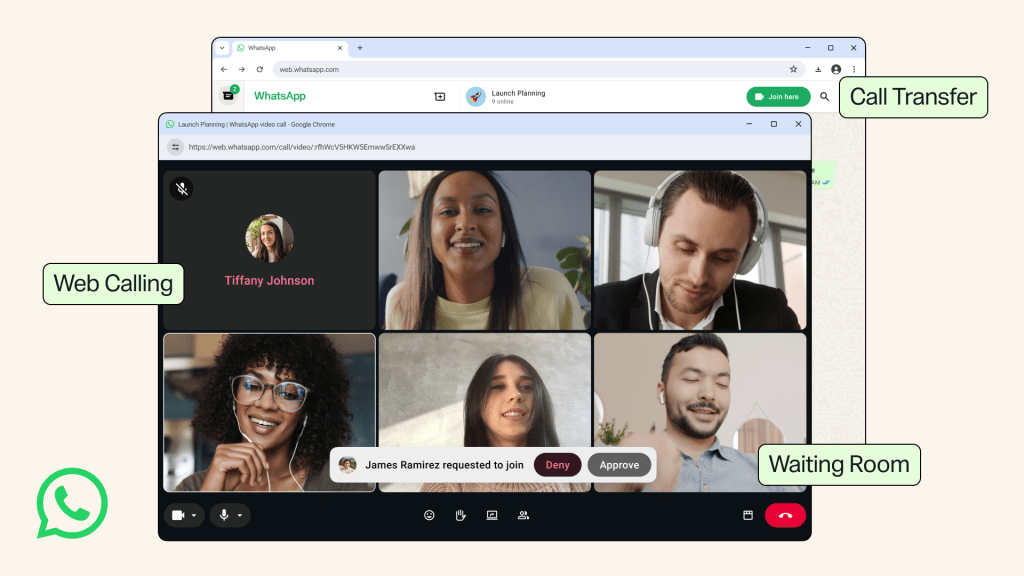
In its latest wave of updates, WhatsApp brings Web Calling for WhatsApp Web users, allowing users to make and receive audio and video calls directly from the browser without downloading the native app on their devices. This feature aims to provide users on shared or restricted computers who don’t have the desktop app installed but still want to call without leaving their browser.
Web Calling brings over features already available on mobile and desktop, including screen sharing, reactions, and a dedicated Calls tab with call history and favourites. Calls made on the web remain end-to-end encrypted, with no time limits and at no cost, matching the experience on WhatsApp’s other platforms.
In addition to introducing Web Calling, WhatsApp also has four related updates.
Call Transfer allows users to shift an active call from one device to another without having to end the call. This provides them with the flexibility of transiting between screens from mobile to web or the desktop app without disruption.
Waiting Room allows the host of a group call to control the call by making attendees wait in a holding area till they let them in. This provides more security and prep time when a group call begins.
QuickHD speeds up video quality at the start of a call, allowing high definition video to be active within the first few seconds of the call instead of the previous initial lag.
Noise Suppression filters out background noise to allow voices to come through clearly in louder environments. This feature can be toggled anytime from in-call settings.
These new features are said to be rolled out gradually for users globally soon.

