
When the AI PC was first introduced three years ago, its purpose was still hazy.
Most generative AI tools ran in the cloud, so local AI hardware felt like a solution without a problem. Users reasonably asked: what can an AI PC do that a standard laptop cannot?
Computex 2026 answered that question. Breakthrough chips and devices from AMD, Arm, Dell, HP, Microsoft, NVIDIA, and Qualcomm have turned the tide. The technology now delivers on a concrete promise: laptops that summarise reports in seconds, edit video while you take notes, and translate conversations in real time, all without touching the cloud.
This is no longer a roadmap. It is happening now.
This shift hinges on the Neural Processing Unit (NPU), a dedicated on-device silicon that processes AI workloads locally, eliminating internet latency, cutting cloud subscription costs, and preserving battery life.
For organisations, local processing means sensitive data never leaves the device, giving AI PCs a security edge that cloud-reliant machines simply cannot match.
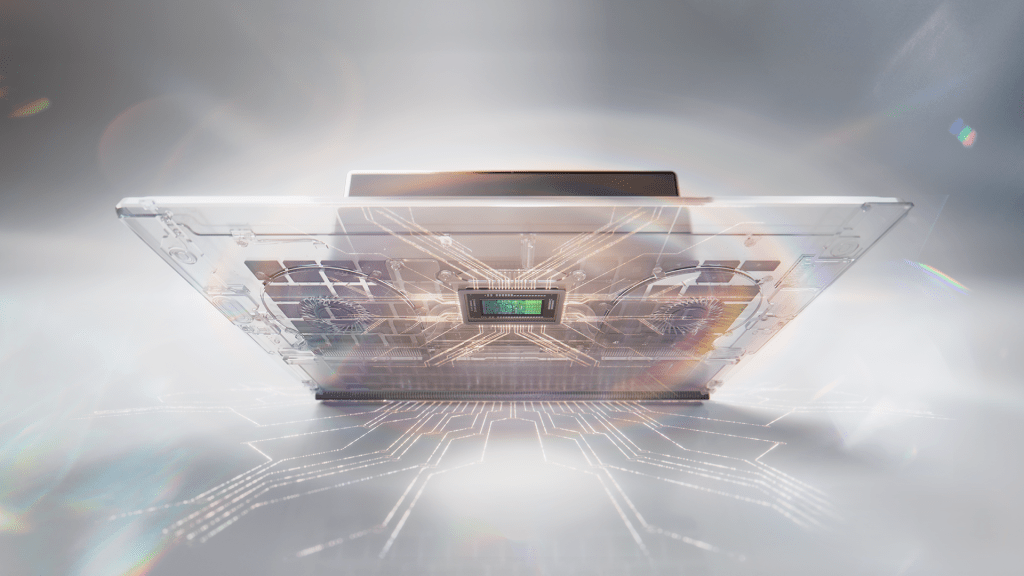
NVIDIA grabbed headlines at Computex with its RTX Spark Superchip for premium Windows laptops. Built on a 3nm process, it combines a 20-core Arm CPU, a Blackwell-architecture GPU, and up to 128GB of unified memory to deliver one petaflop of AI performance, enough headroom to run 120-billion-parameter large language models (LLMs) entirely on-device, without requiring a cloud connection.
Microsoft has adopted the silicon for its new Surface Laptop Ultra pitched directly at creators and professionals who need speed, privacy, and independence from the Internet.
Meanwhile, AMD pointed to a deeper architectural shift. As agentic AI – systems that can understand a goal, plan steps, use external tools, and act with autonomy – become mainstream, the historical CPU and GPU ratio in data centres is rebalancing.
Where ratios of 1:4 or 1:8 once prevailed, workloads now demand closer to a 1:1 because coordinating tasks and processing context matter as much as raw compute. This shift is flowing directly into laptops, which now require CPUs, NPUs, and GPUs working in tandem rather than relying on a single fast chip.

Jacinta Quah (left), Vice President of Client Solutions Sales at Dell Technologies, said: “A dedicated NPU and at least 32GB of memory are now the baseline for productivity. An NPU above 40 TOPS (trillions of operations per second) is what truly enables agentic AI – automation that runs securely right on your device.”
Samir Shah (right), HP’s Vice President and Head of Personal Systems for Greater Asia, agreed: “It’s not just about more power. It’s about balance — CPU, GPU, NPU, memory, and software all working together to make AI useful, secure, and manageable every single day.”
Real gains, not hype
This new generation of AI PCs does not just run faster. It changes how work gets done.

“Teams use on-device assistants to automate document management and workflow optimisation without internet latency,” said Nigel Lee (left), Country General Manager of Lenovo Singapore.
“They can summarise dense materials, enable instant language translation for cross-border work, and run AI-accelerated video editing and image generation. All of these operations benefit from systems that dynamically allocate resources to keep performance optimal.”
Rex Lee (right), ASUS’ Corporate Vice President for Asia-Pacific and Commercial General Manager of the System Business Group, pointed out that this local processing power “delivers faster response times, reduces reliance on cloud connectivity, and provides greater control over sensitive data”.
“These benefits are especially relevant for organisations with strict privacy, security, or compliance requirements.”
The data backs this up. An IDC study commissioned by Dell found that organisations where more than half of the deployed devices are AI PCs save an average of 2.17 hours per employee every day, a 30 per cent productivity lift over traditional machines.
For finance, healthcare, and legal teams handling highly sensitive data, the security upside is equally significant: proprietary information stays entirely on the device, drastically reducing data exposure.
That said, the cloud is not going anywhere.
“The cloud remains essential for scale and frontier models,” said HP’s Shah, “but cost, latency, and data sensitivity are changing where workloads make sense.”
Enterprises need to think more carefully about which tasks truly require cloud-scale processing and which can run more efficiently closer to the user, he added.
The cost question
AI PCs carry a premium, typically 10 per cent to 20 per cent more than standard equivalent non-AI models. Premium systems such as Microsoft’s Surface Laptop Ultra start from US$2,500.
But the calculation is more nuanced than sticker price.
IDC research shows that 65 per cent of Asia-Pacific businesses are willing to pay at least 10 per cent more for AI-ready hardware, viewing it as a strategic investment rather than a standard operating expense.
More tellingly, 82 per cent of organisations expect AI PCs to lower total cost of ownership over time through productivity gains, tighter security, and longer device lifespans.
“Buyers today are actively demanding AI features like local security, automated workflows, advanced collaboration but they must translate into cost savings,” said Lenovo’s Lee.
According to IDC, 89 per cent of IT leaders consider AI capability a critical requirement for their next purchase cycle, and 77 per cent cite savings from running workloads locally instead of paying recurring cloud fees.
ASUS’s Lee framed how enterprise buyers actually decide: “In enterprise discussions, buyers are not looking at AI features in isolation. They are focused on total cost of ownership, productivity impact, and lifecycle value.”
When to upgrade
Counterintuitively, AI PCs are not necessarily forcing faster device refresh cycles. In many cases, they extend them.
“If you buy the right foundation now, you don’t need to refresh sooner,” said Quah. “Organisations that under-spec today will end up replacing devices in two years. Those that invest properly get more years out of every device.”
Lenovo’s Lee pointed to architecture as the reason. “By distributing AI workloads efficiently across the CPU, GPU, and NPU, physical wear and thermal strain are reduced, allowing the laptop to remain highly performant for longer,” he said.
Timing still matters. IDC projected half of all enterprise AI processing will happen locally by 2030, making non-AI PCs progressively unsuitable for core business functions. Waiting too long risks elevated security vulnerabilities, rising operating costs, and deepening technical debt.
“If an organisation is already within a standard refresh window, it makes sense to evaluate AI PCs now based on TCO and workforce needs,” said ASUS’s Lee, adding that “the category is already enterprise-ready and will continue to improve through software over time”.
Currently, around 48 per cent of organisations in Asia-Pacific have already deployed AI PCs. The rest are running pilots or planning rollouts.
“AI is no longer a future project,” Shah said. “The question is not ‘should we refresh?’ but ‘what should we refresh to?’”

